Press Kit
Resources and assets for press and media coverage of Octavo.
Download all assets in one package:
Download Press Kit (ZIP)About Octavo
Description
Octavo is a powerful Mac app for PDF imposition, helping you create professional print layouts for booklets, zines, and more.
Octavo is a prosumer-level Mac app designed for anyone who needs precise control over how PDFs are arranged for printing. Whether you're creating saddle-stitched booklets, mini zines, business cards, comb binding layouts, or simply need to clean up messy PDFs with mismatched sizes and skewed scans, Octavo makes the process intuitive and efficient. With its live preview system, you can see exactly how your pages will be imposed before printing. Octavo handles the complex mathematics of page arrangement so you can focus on your content.
Key Facts
- Version:
- 1.0
- Platform:
- macOS 15.6 or later
- Price:
- Free download, one-off in-app purchase to unlock. Unlock: $24.99 / £24.99
- Available on:
- Mac App Store
- Website:
- https://octavo.pro
- Release Date:
- 27 February 2026
Pricing Model
Octavo Lite is free and all features can be tried out. 8-page zine and concertina zine layouts are completely free to use. All other imposition styles work fully but include a "Made with Octavo" banner in the header or footer. A one-time in-app purchase removes this banner and unlocks unrestricted output.
Categories
Key Features
- Saddle-stitched booklet layouts with automatic page ordering
- Mini zine creation (8-page zines from a single sheet)
- Business card and label sheet layouts
- Comb binding and perfect binding support
- Clean up messy PDFs: fix mismatched page sizes, straighten skewed scans
- Live preview of imposed layouts
- Crop marks, fold marks, and registration marks
- Page numbering options
- Support for custom paper sizes
App Icon
Available in light and dark variants. Download includes 1024px, 512px, and 256px sizes, plus the logo without icon chrome.

Light Mode

Dark Mode

Logo (Transparent)
Screenshots
Screenshots are available in both light and dark mode variants. Click to view full size.
Light Mode
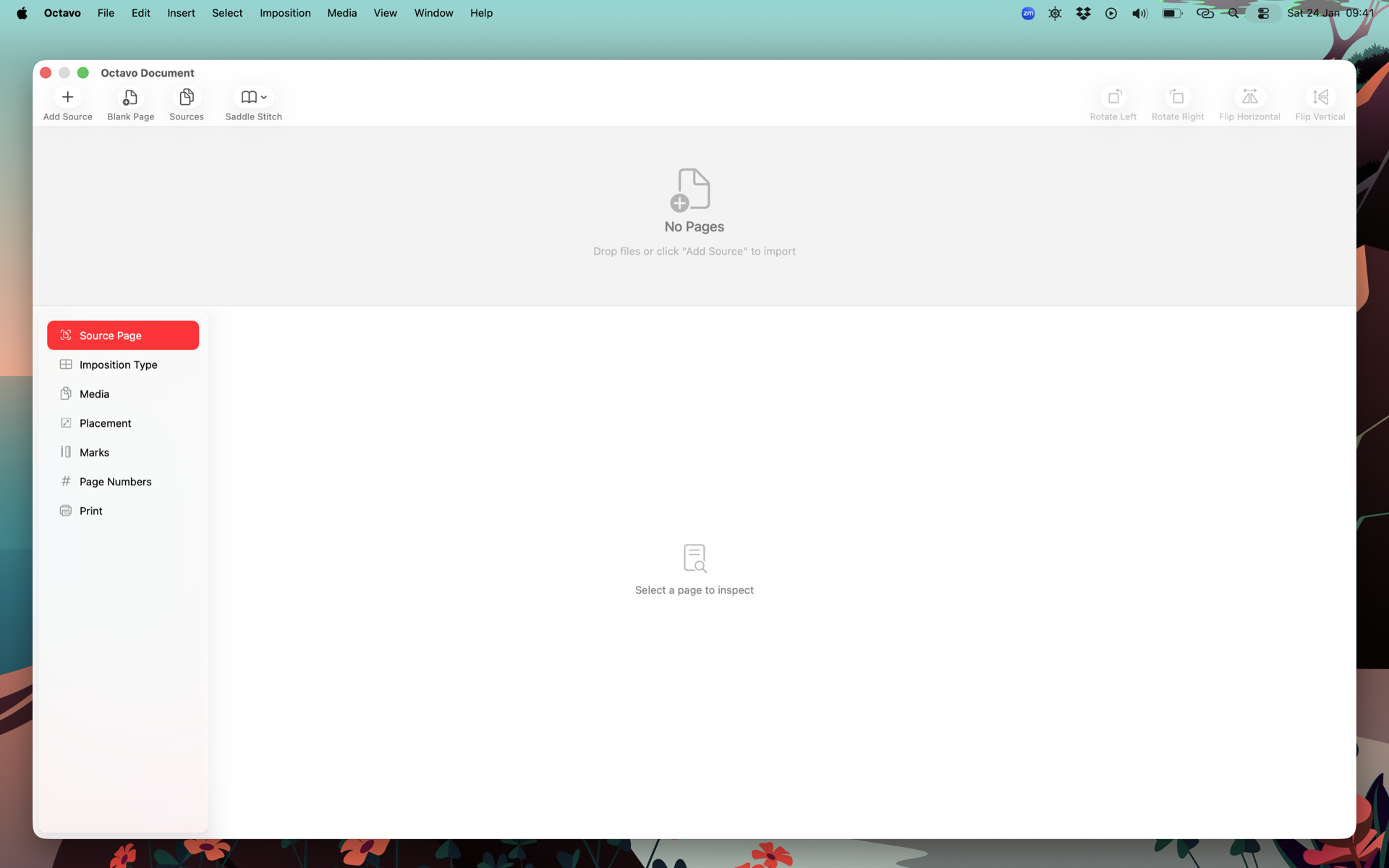
Octavo welcome screen
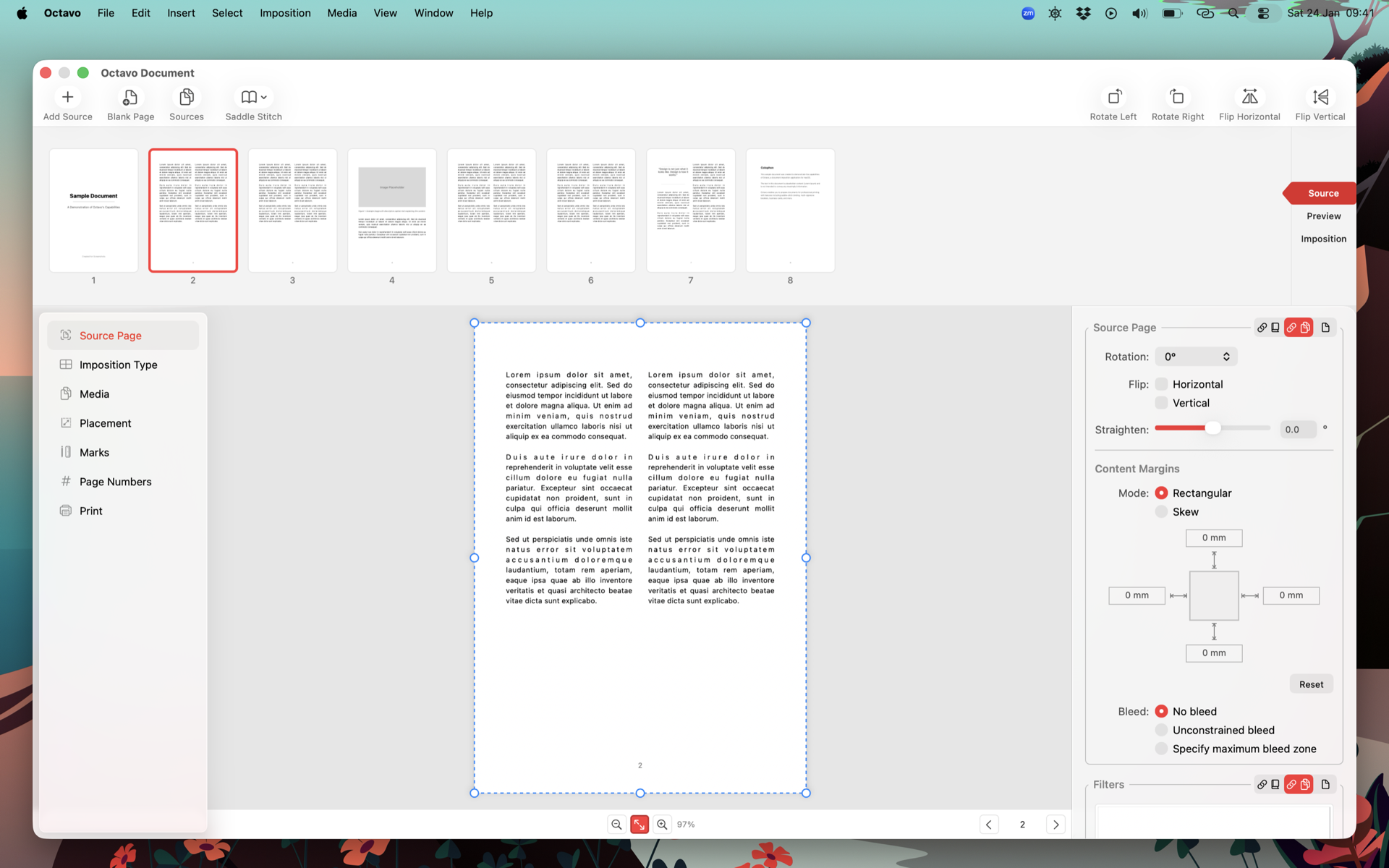
Source document view with page thumbnails
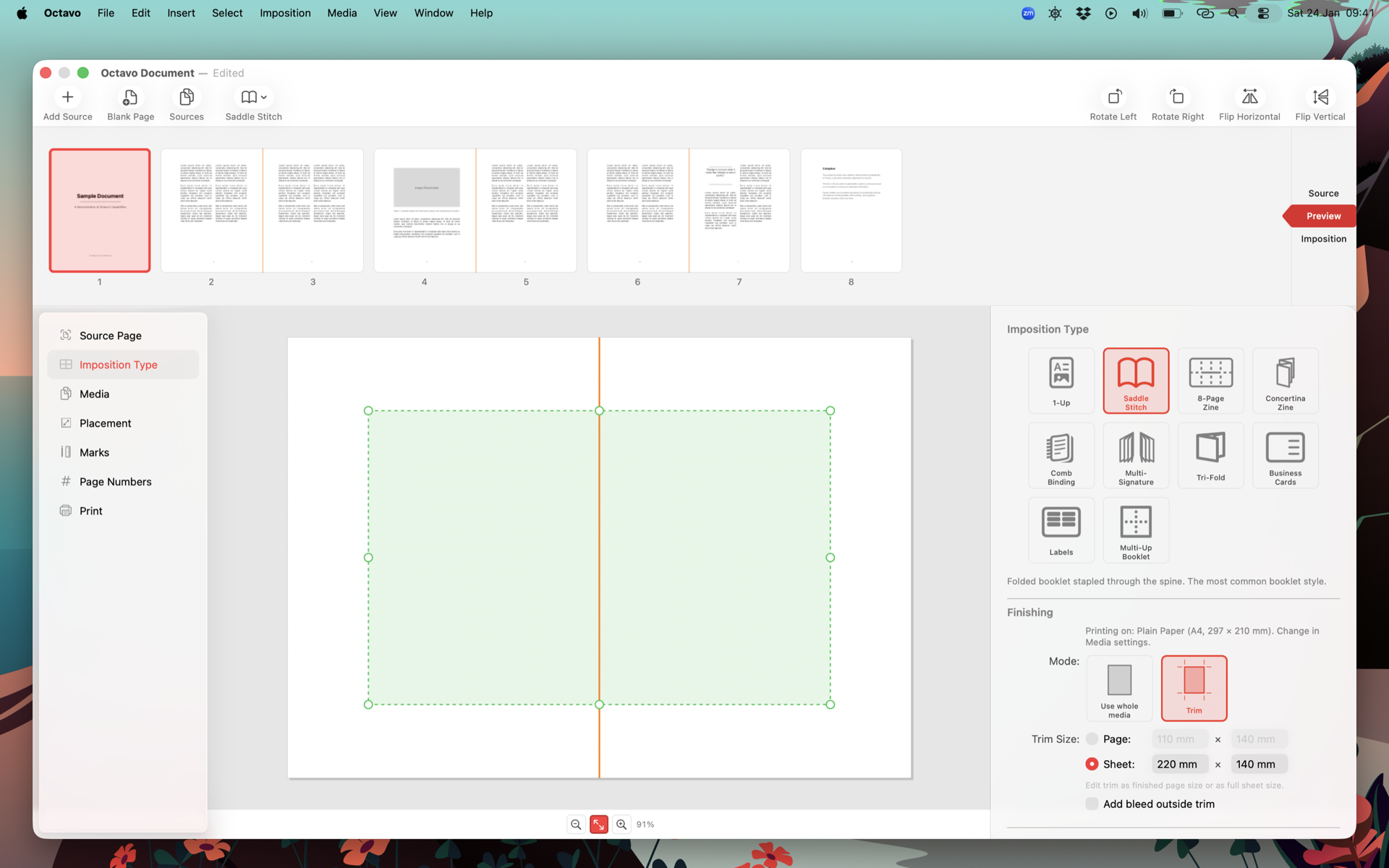
Imposition settings with preview strip
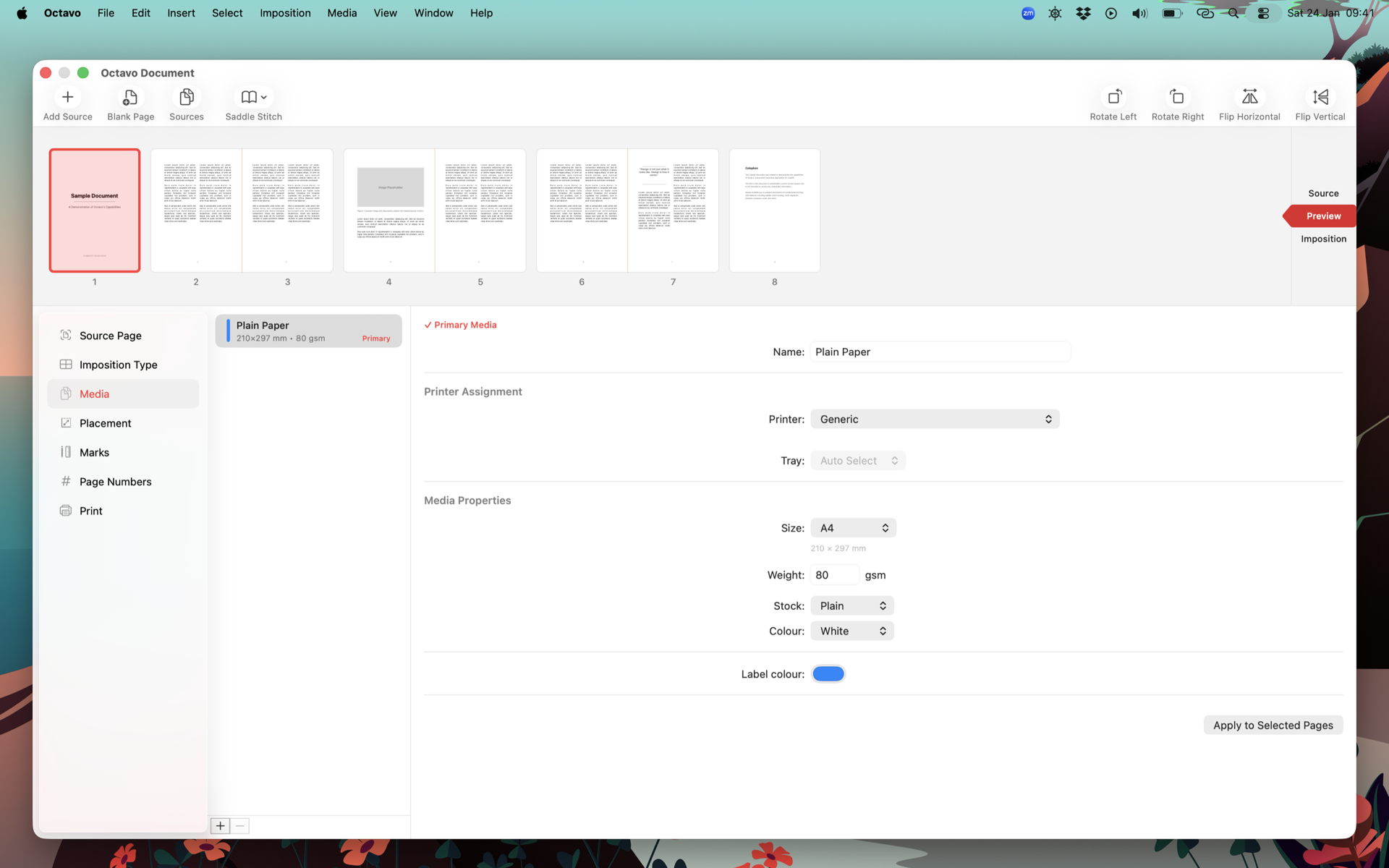
Media and paper size configuration
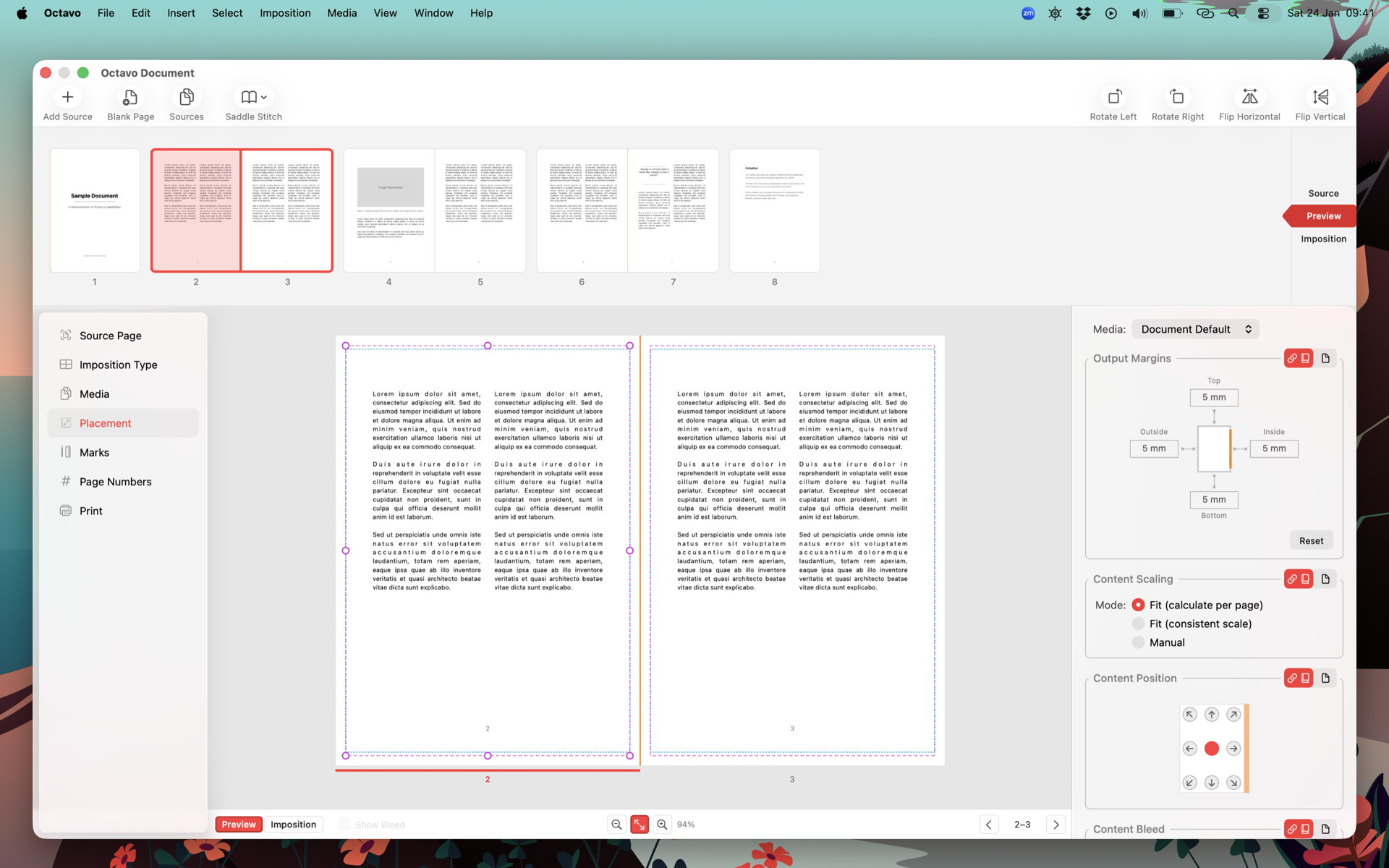
Page placement controls with live preview
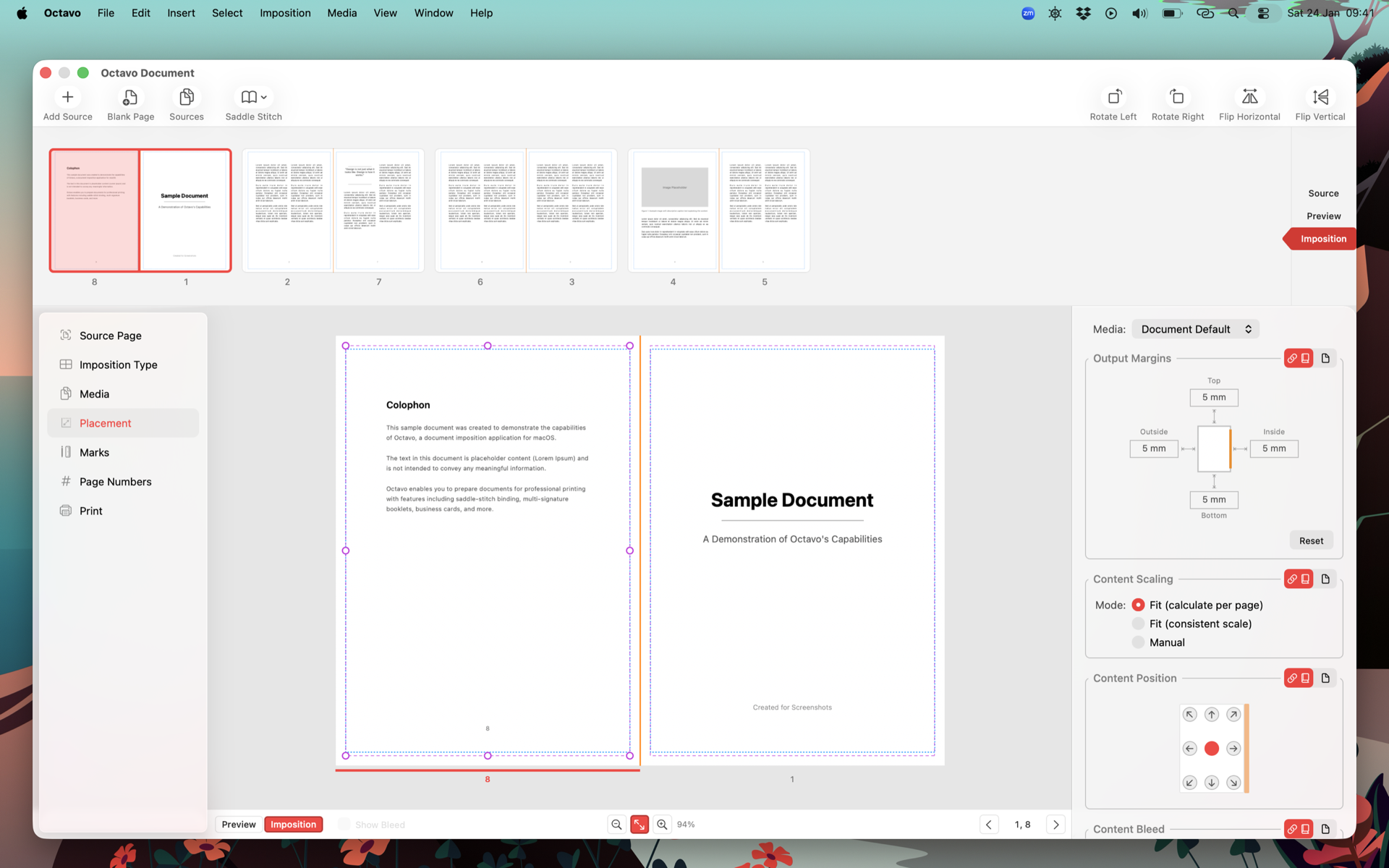
Detailed imposition layout view
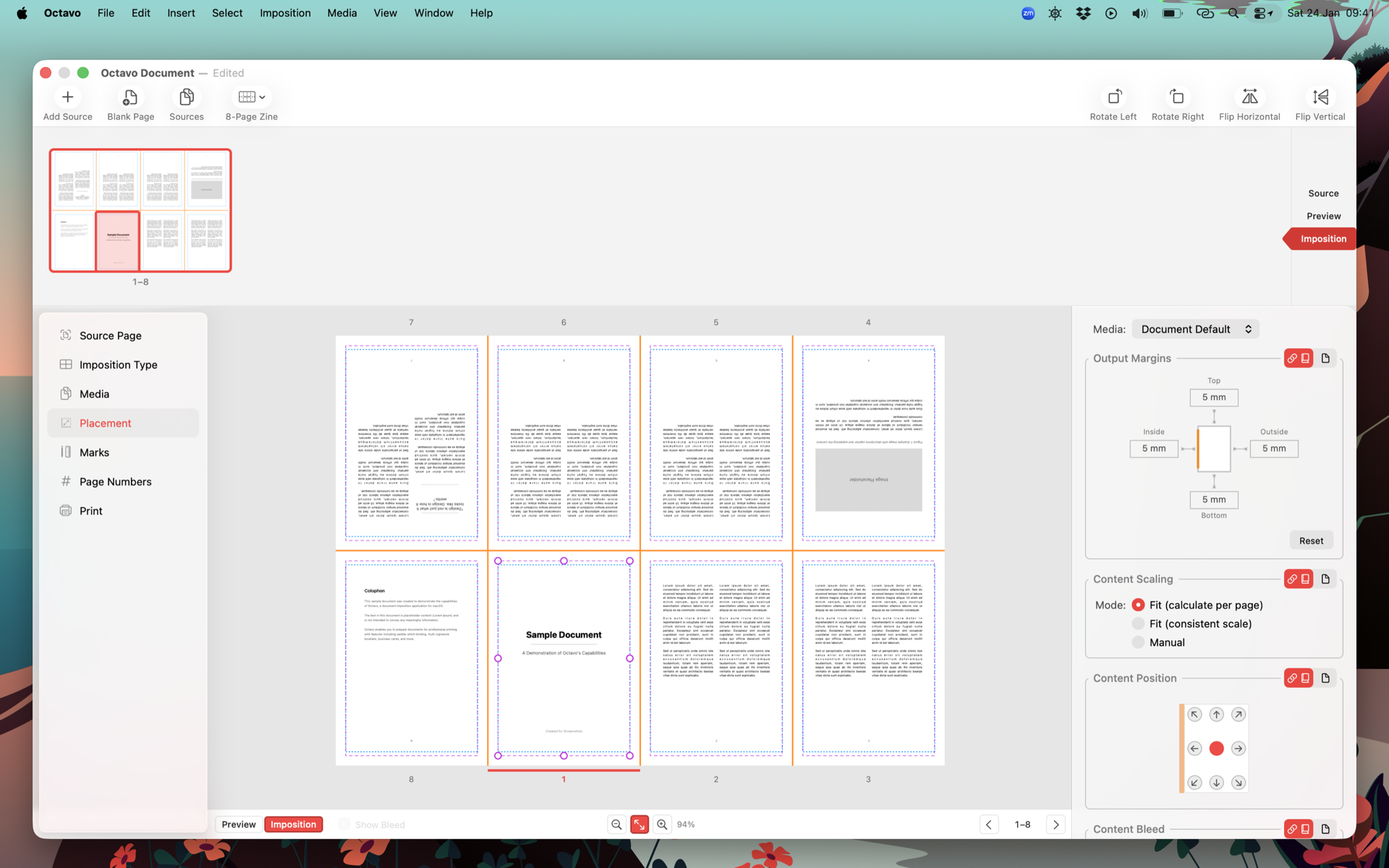
8-page mini zine layout
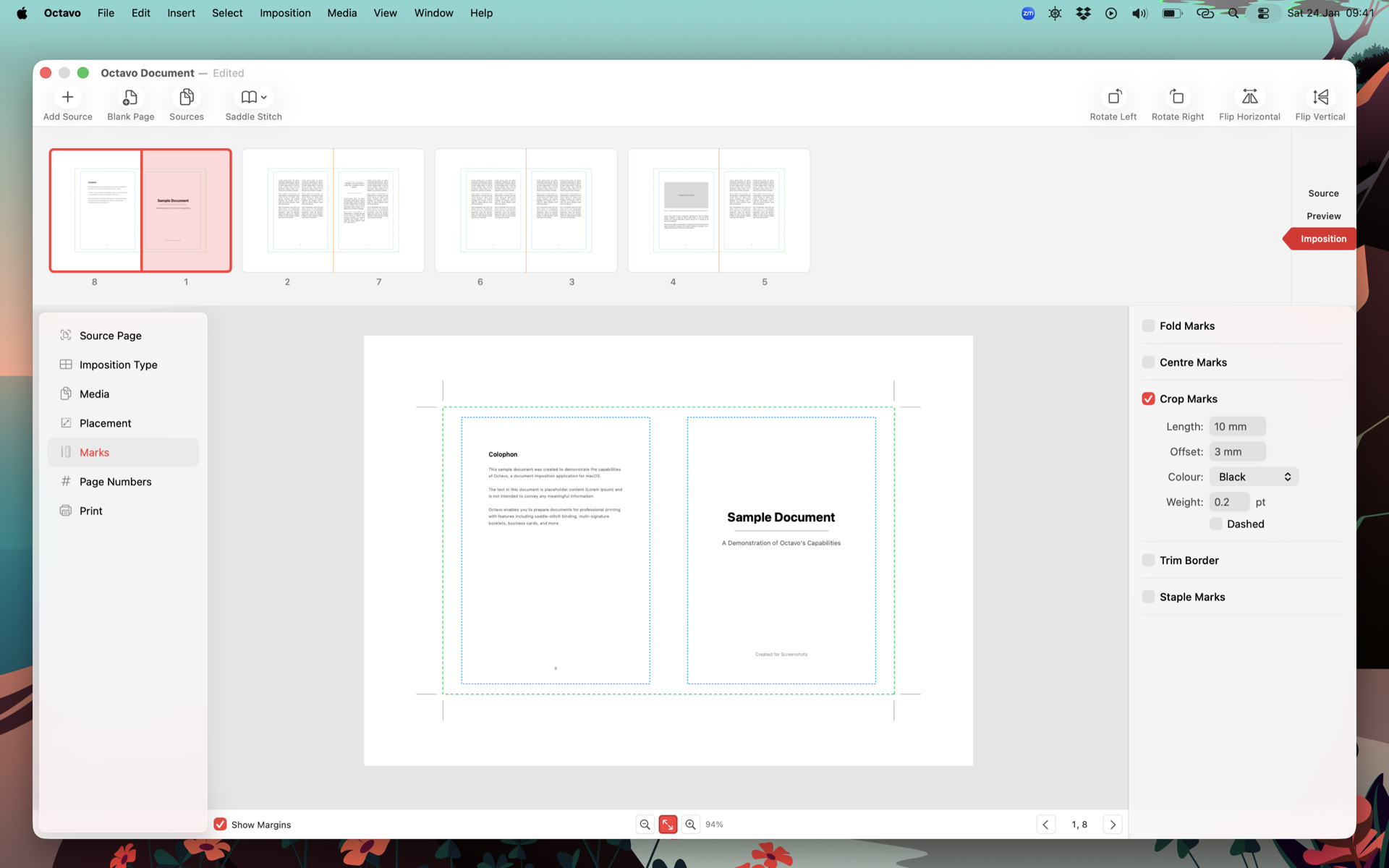
Crop marks and registration marks
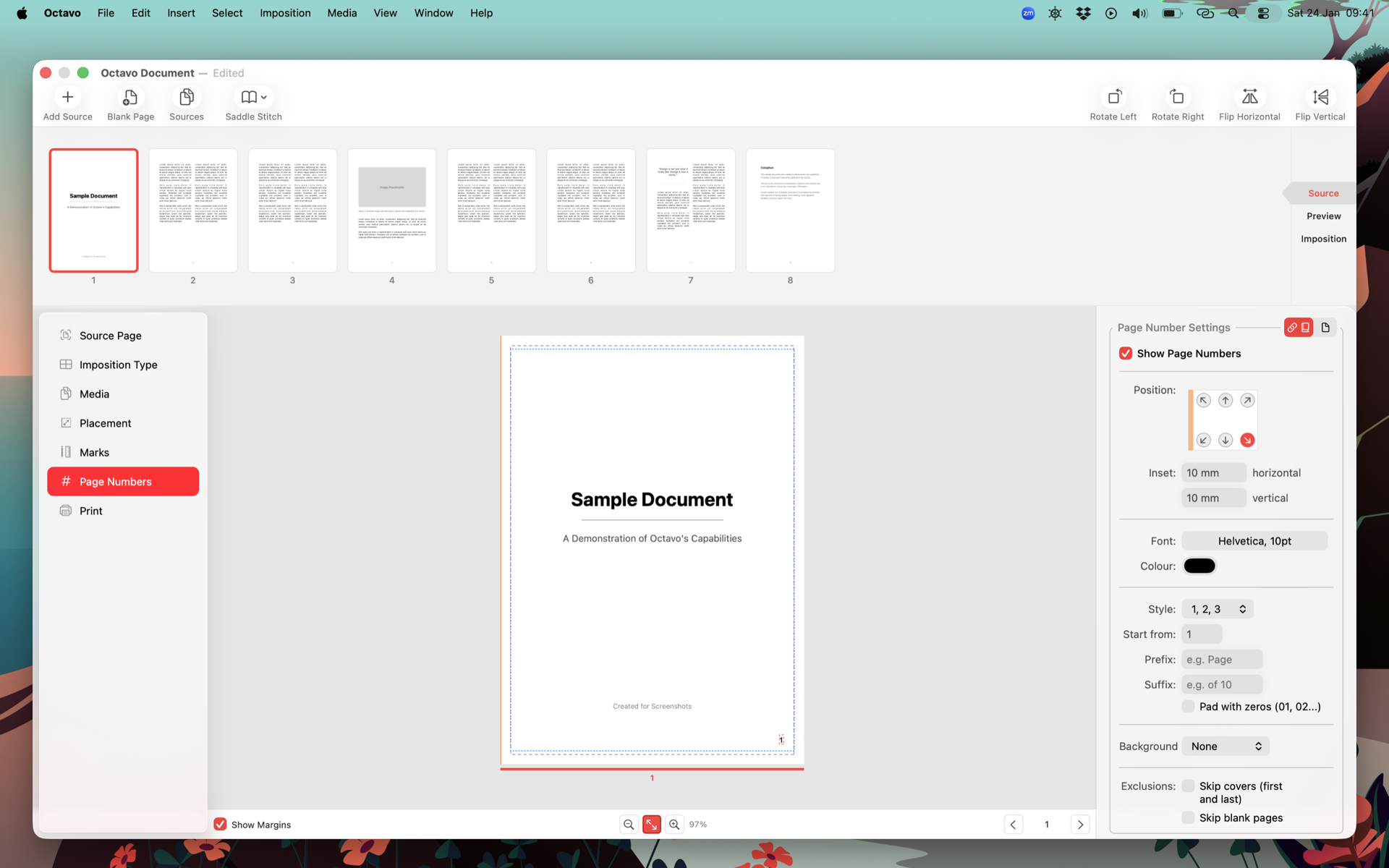
Page numbering options
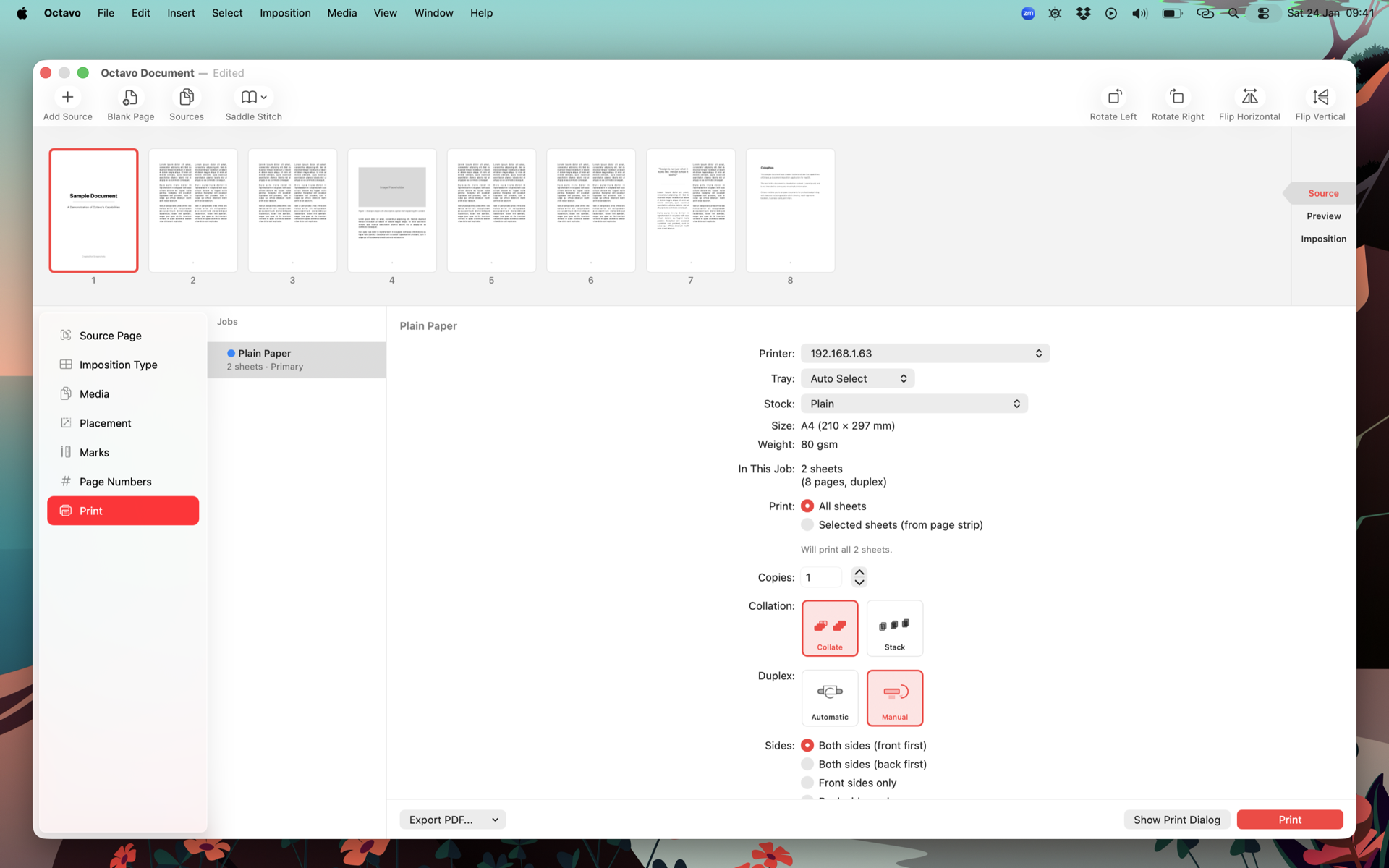
Print dialog integration
Dark Mode
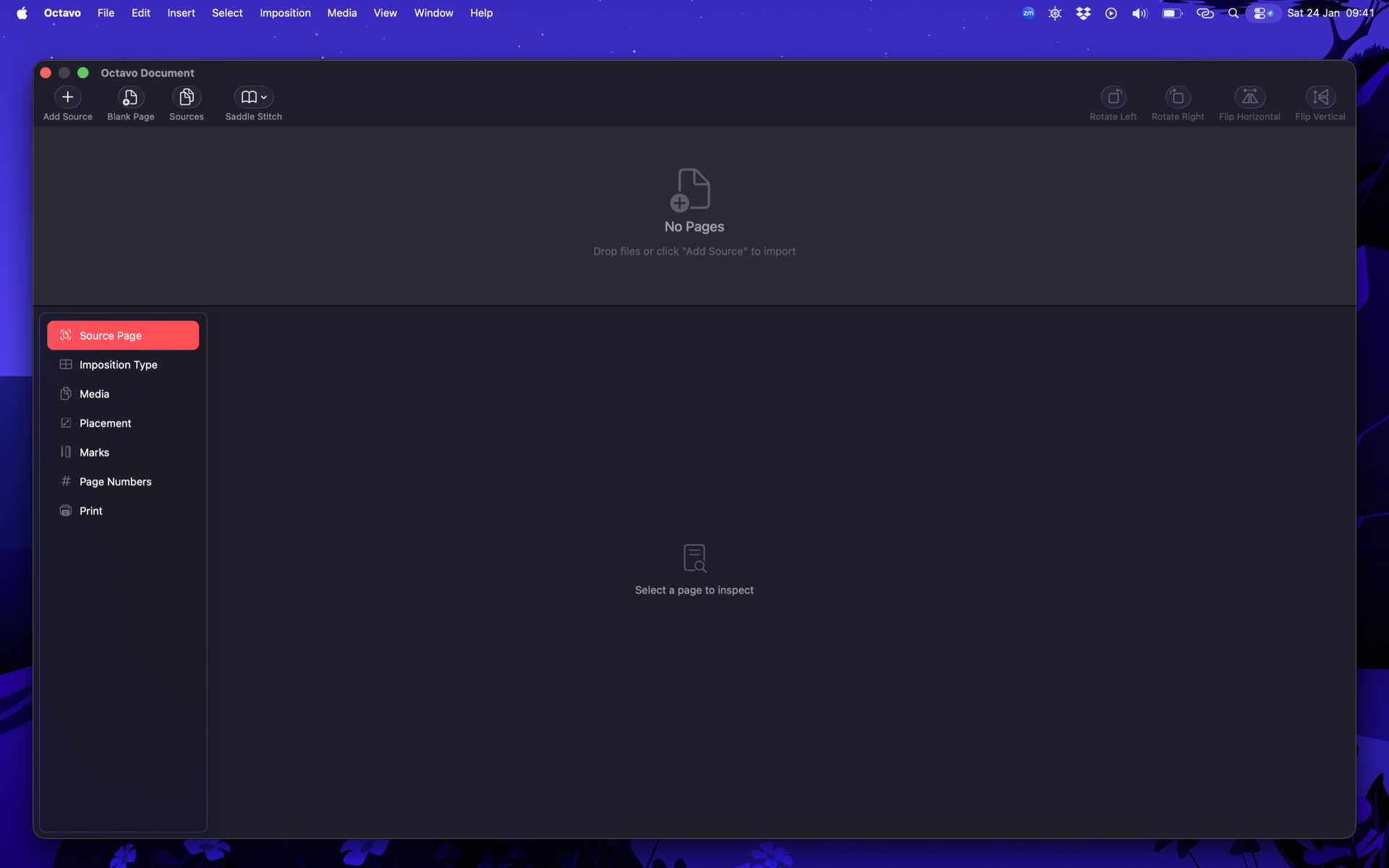
Octavo welcome screen
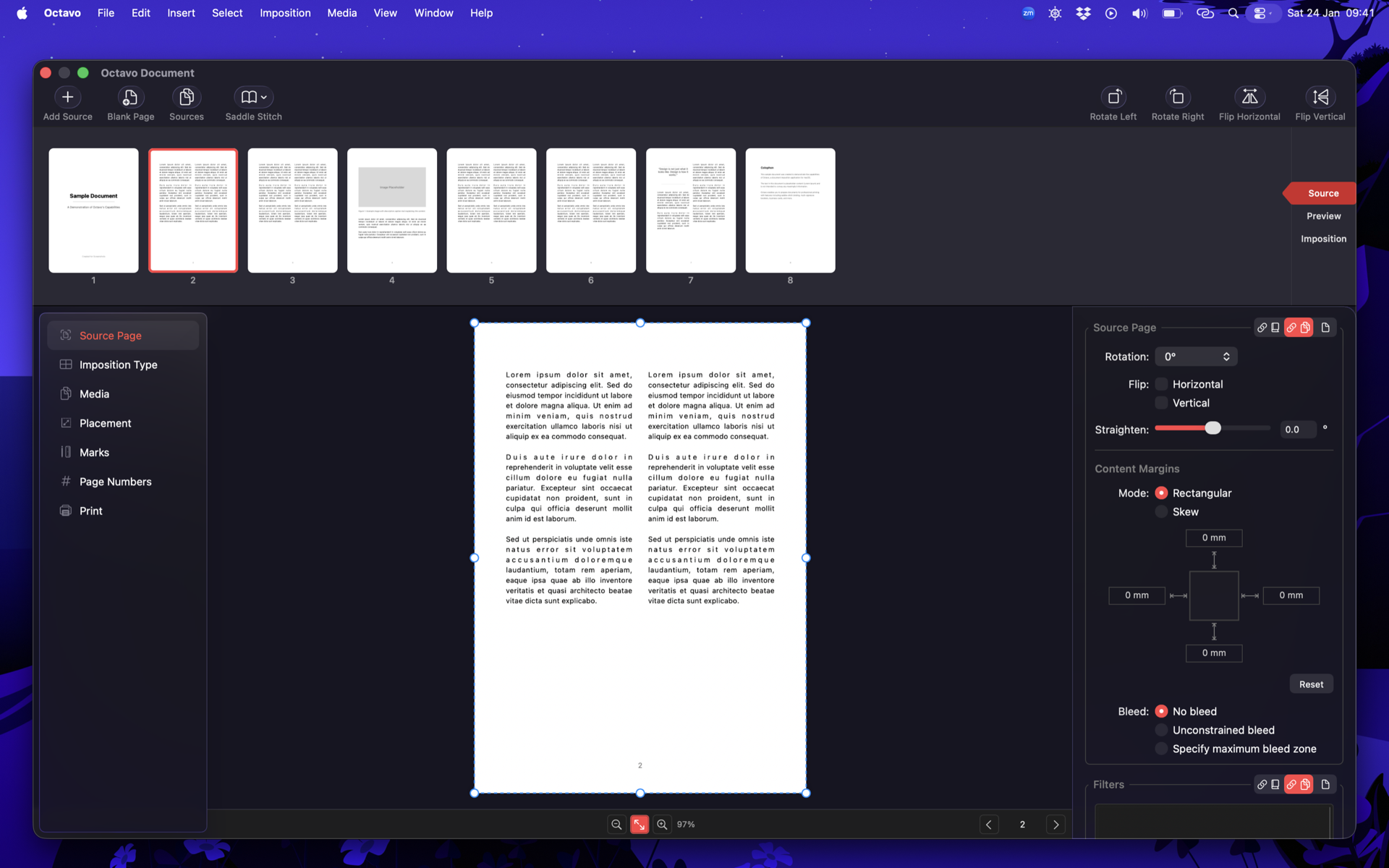
Source document view with page thumbnails
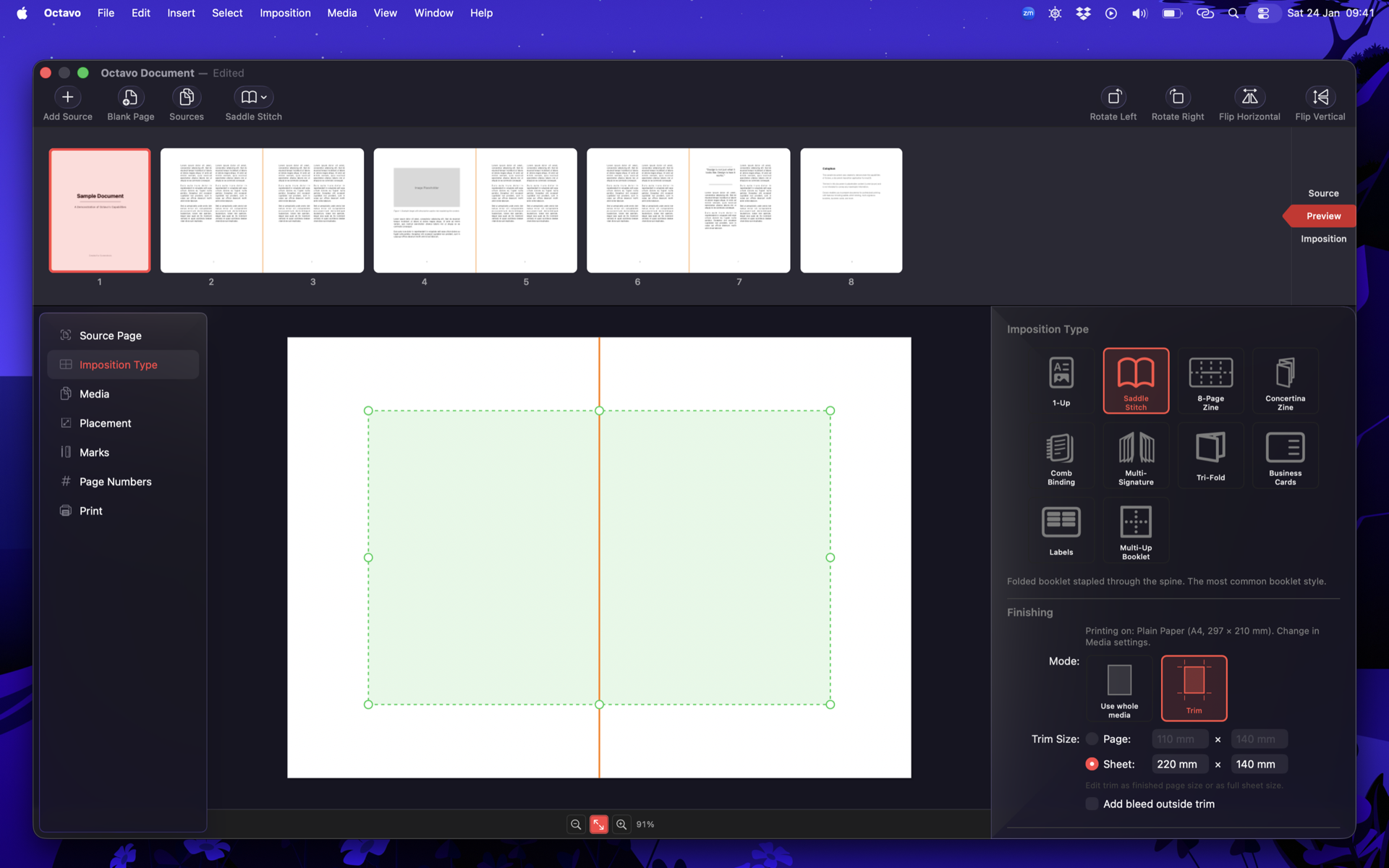
Imposition settings with preview strip
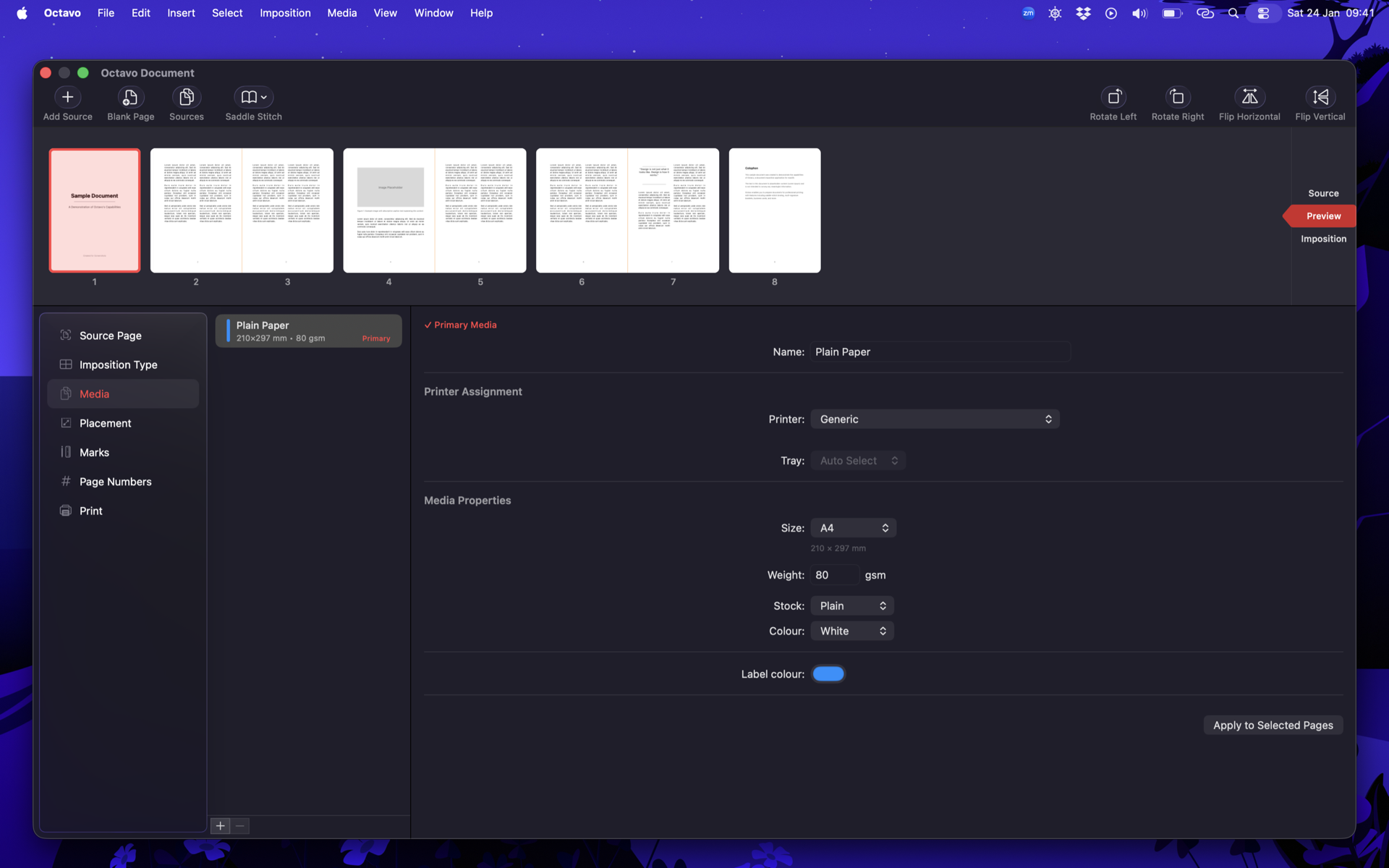
Media and paper size configuration
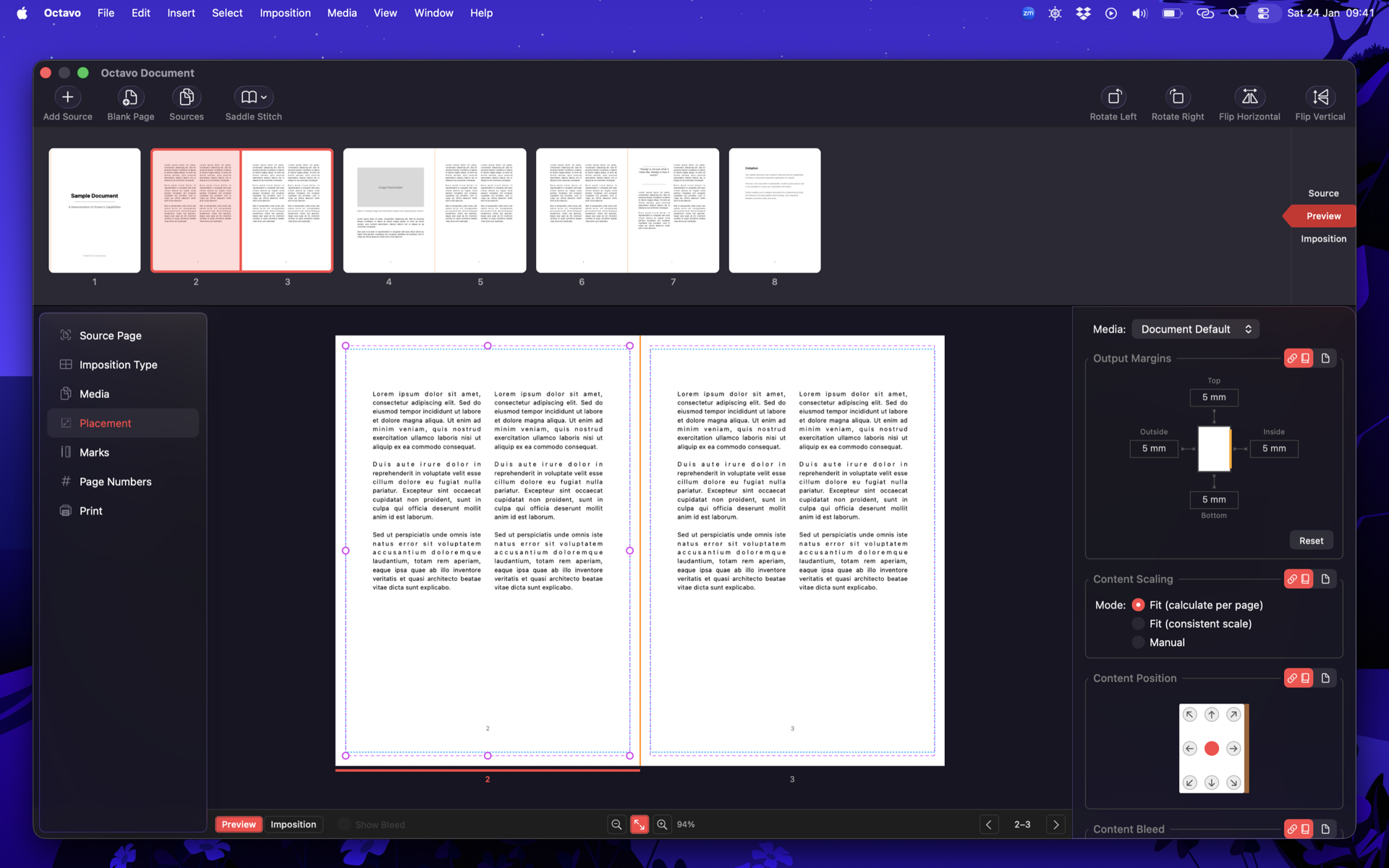
Page placement controls with live preview
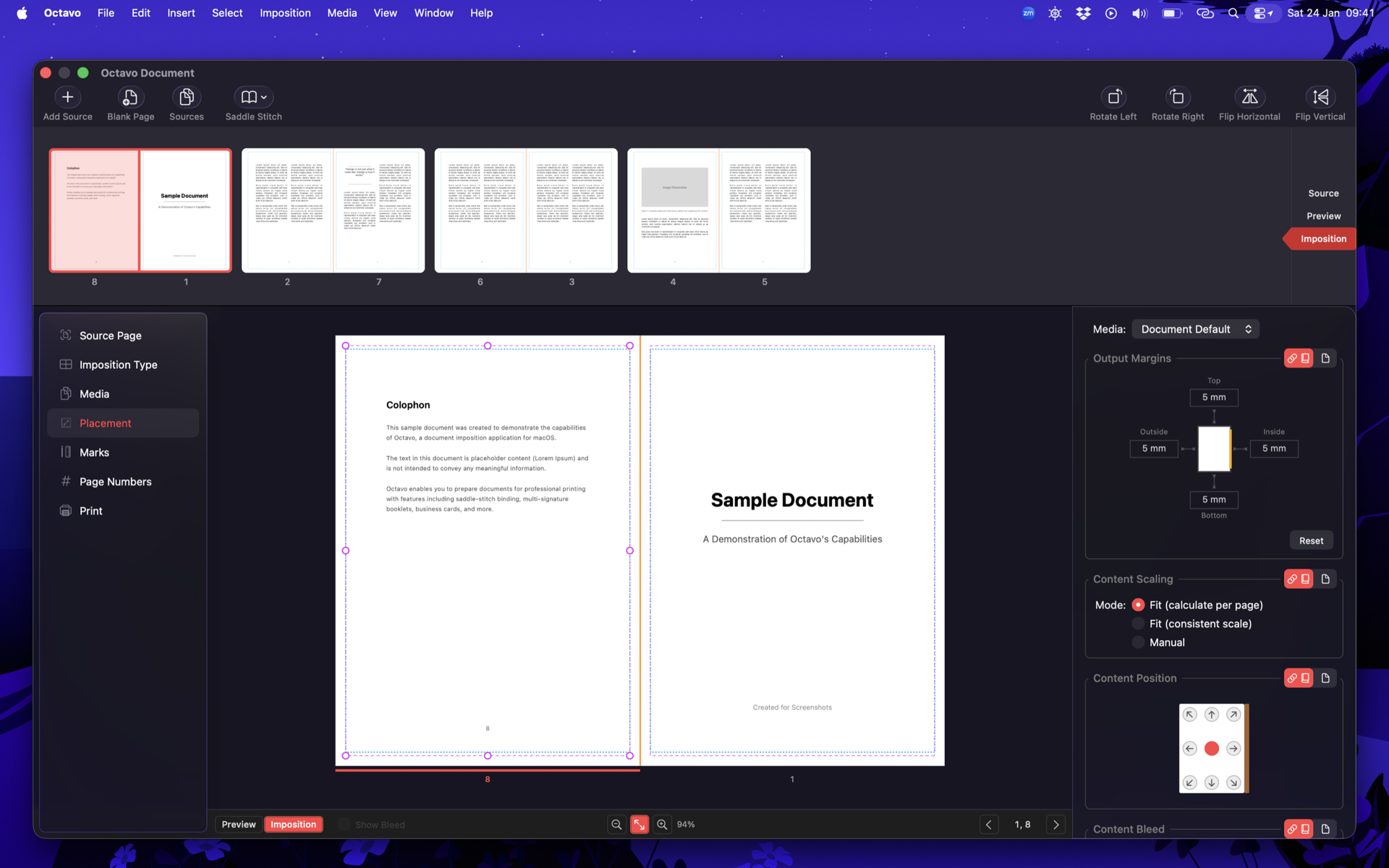
Detailed imposition layout view
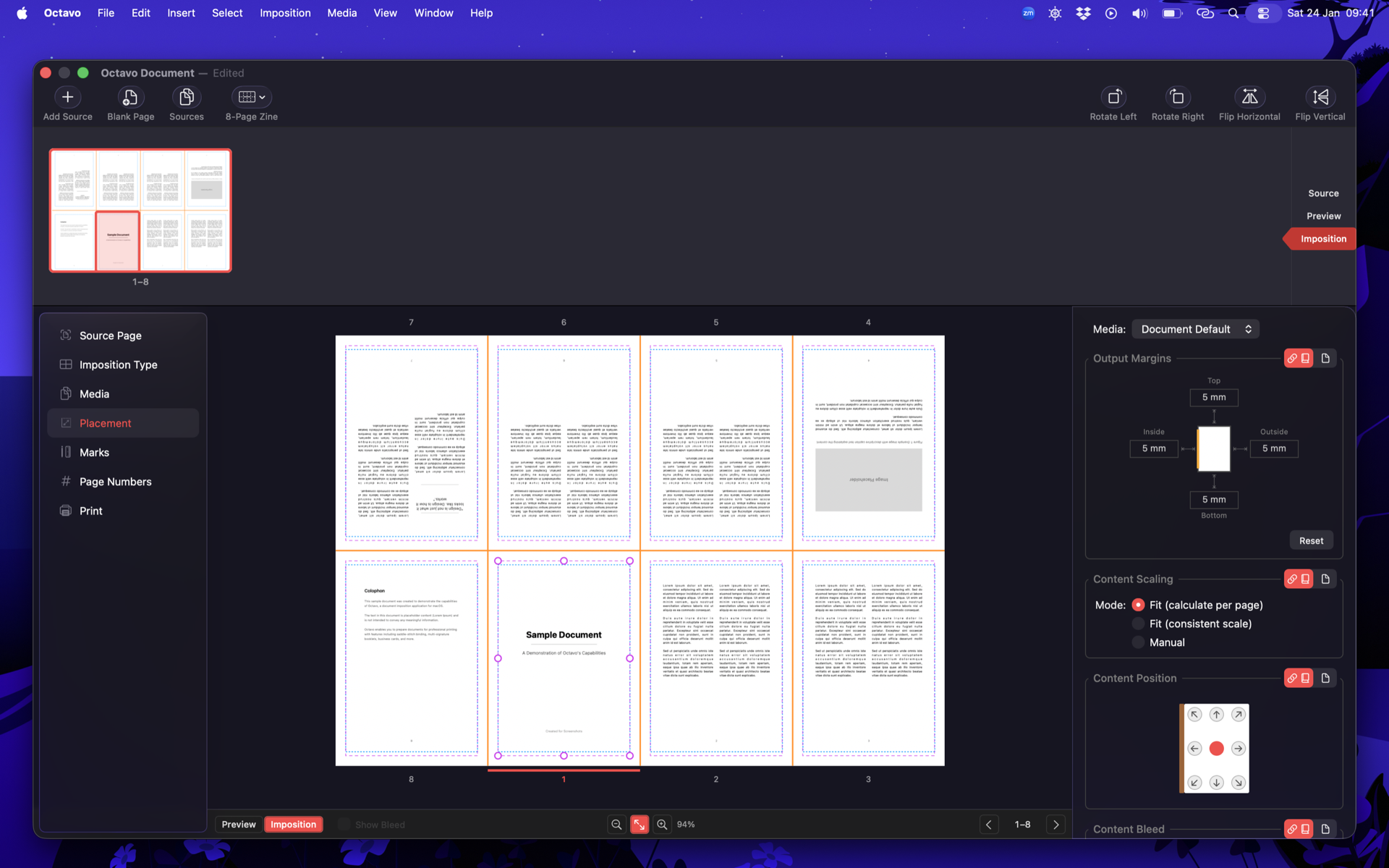
8-page mini zine layout
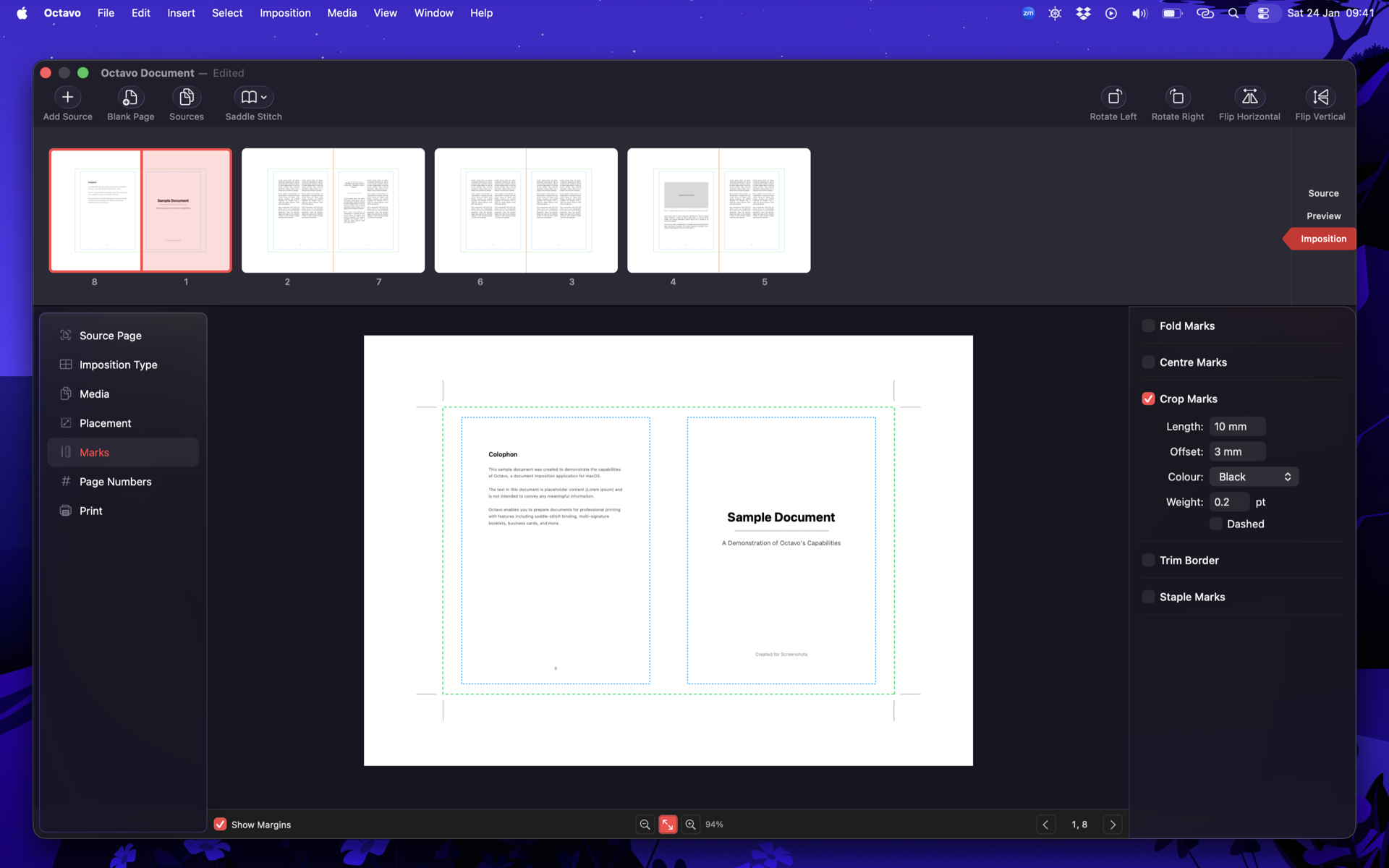
Crop marks and registration marks
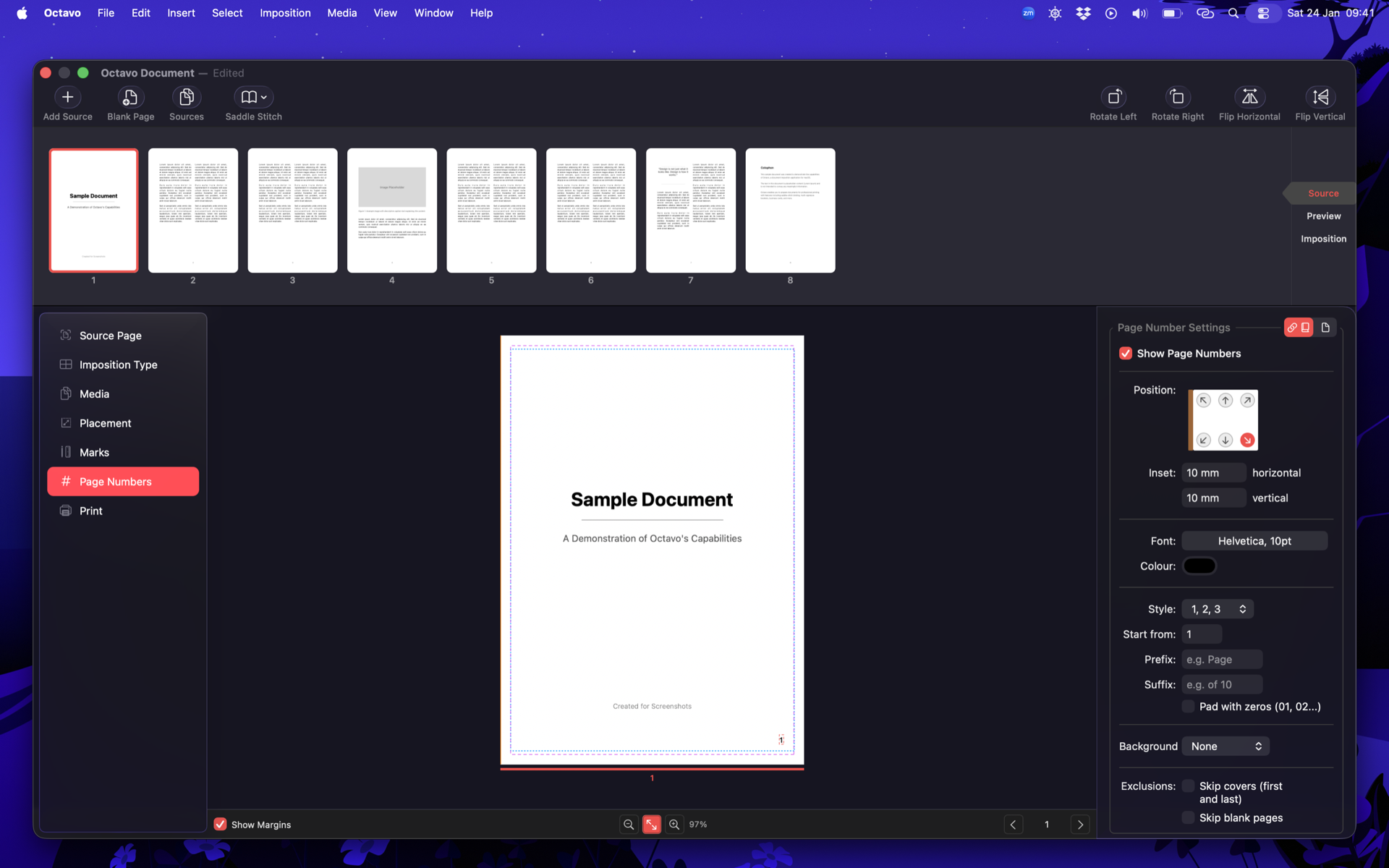
Page numbering options
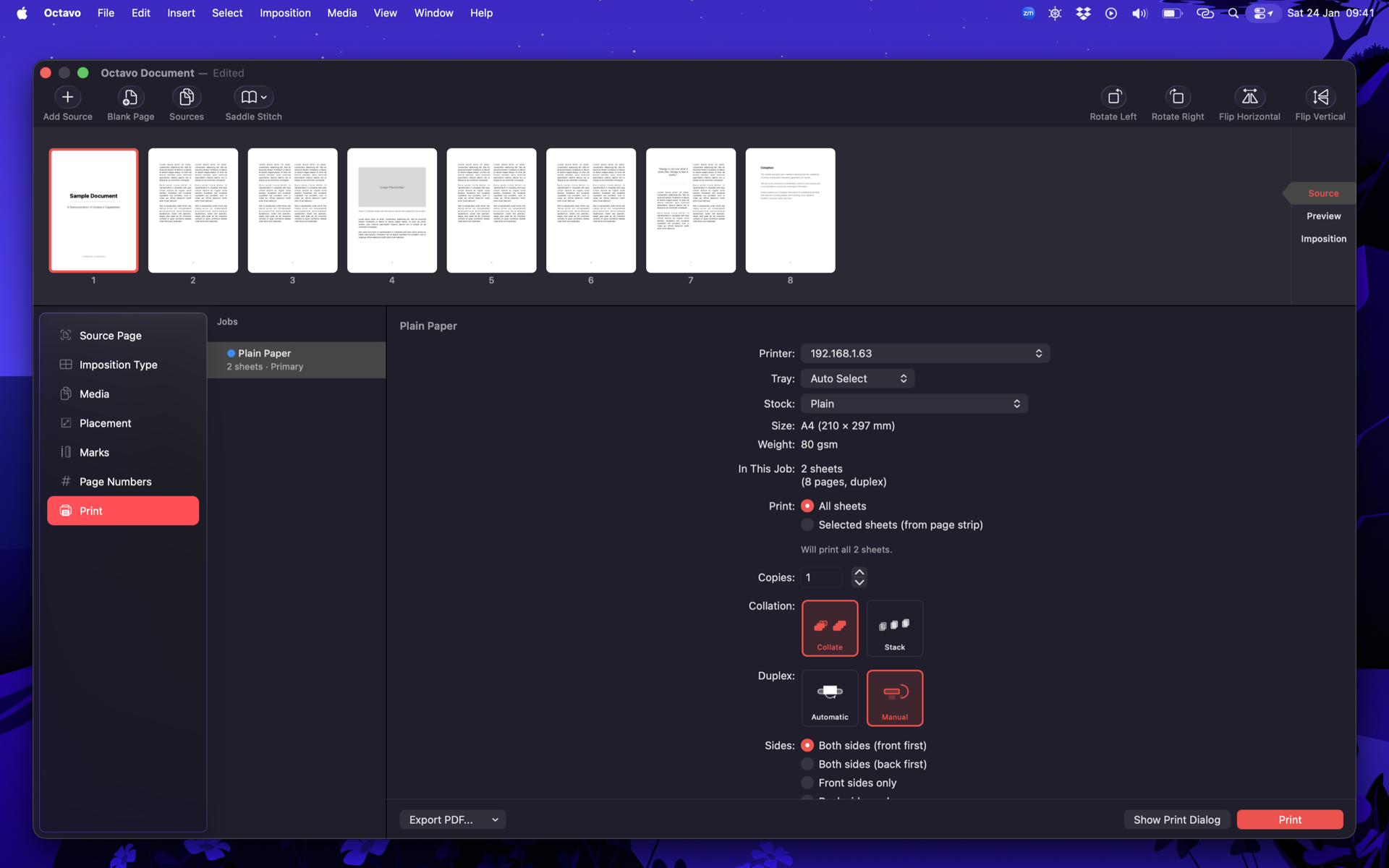
Print dialog integration
About Double & Thrice Ltd.
- Founder:
- Amy Worrall
- Founded:
- 1 November 2023
- Website:
- https://doubleandthrice.com
Press Contact
For press inquiries, please contact:
amy@doubleandthrice.com